SafeSearch
Checker
Enter your website and we’ll read your pages the way Google’s filter does, then give you two links that show your site on Google with SafeSearch off and on. It’s free. There’s no sign-up, and the check takes about 30 seconds.
 20+ Awards
 150+ Clients

 40+ Reviews
What the check tells you
Four answers from one check
Your risk level
High, some or low, from what your pages say and how they label themselves.
What on your pages looks explicit
We check your titles, descriptions, headings, page addresses and image alt text against the signals Google’s guidelines name, and mask any explicit words in the report.
Age gate and rating tags
Does Googlebot get past your age gate? Do your pages label themselves as adult?
Google, both ways
Two links open Google’s results for your site with SafeSearch off and with it on, in your own browser, so you can see for yourself which pages disappear.
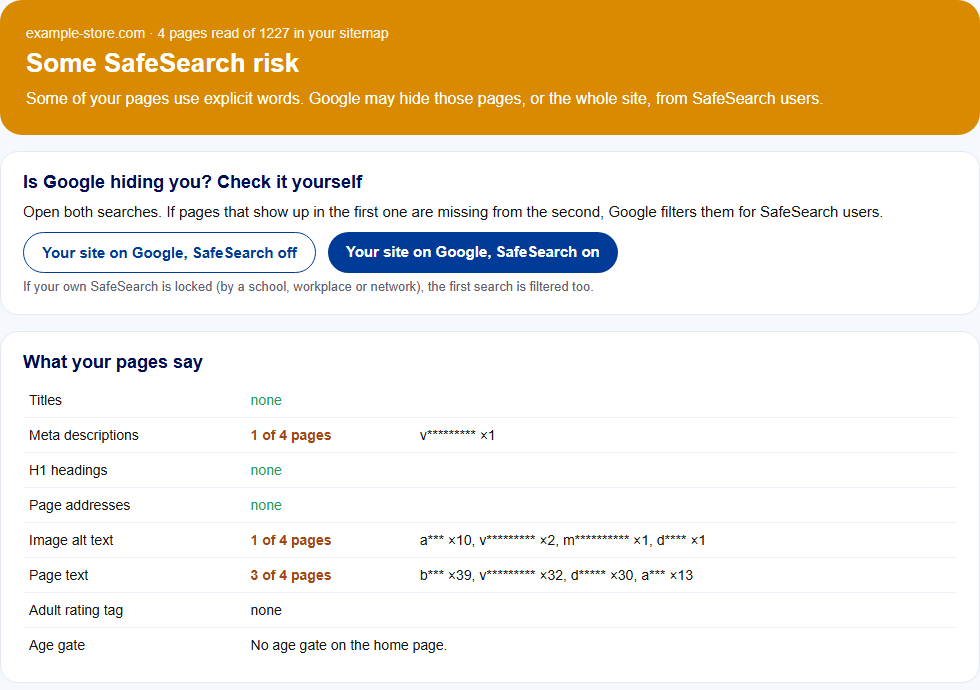
An online store with some SafeSearch risk: explicit words in its descriptions, image alt text and page text.
Why SafeSearch matters for adult sites
Google’s SafeSearch has three settings. Filter removes explicit results, and it’s the default whenever Google’s systems indicate that the person searching may be under 18. Parents, schools and network administrators can lock it, and some public Wi-Fi networks enforce it. Blur, the default for everyone else, still shows the results but blurs explicit images.
For an adult business, that decides who can find you. A site Google classifies as explicit disappears for every searcher on Filter, and its images are blurred for most of the others.
Google’s guidelines say SafeSearch is designed to filter results that lead to visual depictions of explicit sexual content, nudity, photo-realistic sex toys or sex-oriented dating and escort services, and pages that link to explicit content. Its systems read text, images, video and links. A site that mixes explicit and non-explicit pages can be classified as explicit as a whole, which is why Google recommends putting the explicit pages on a separate domain or subdomain.
How it works
Your pages
We read your home page and up to 12 pages from your sitemap, the way Googlebot does.
Your plan
You get a risk level, the signals we found and what to change first. Explicit words are masked in the report.
Google, both ways
Two links show your site on Google with SafeSearch off and on. If pages vanish in the second search, Google filters them.
Want your pages back in SafeSearch results?
The UniK SEO team can go through your site page by page, from category pages to image policies. Send us your address and we’ll reply with a plan.